Summary: in this tutorial, you will learn how to develop the simple but famous ABAP program called “Hello World” in ABAP editor.
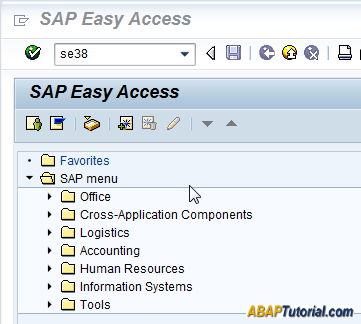
Step 1. From SAP Easy Access screen type the t-code SE38 in the command field to launch ABAP Editor.
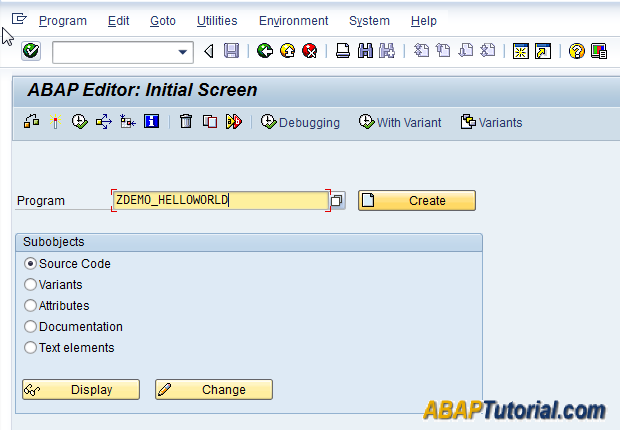
Step 2. In the ABAP Editor – Initial Screen, enter the program name as zdemo_helloworld. SAP requires all customized programs, which are created by customers, to have names starting with the letter Z or Y.
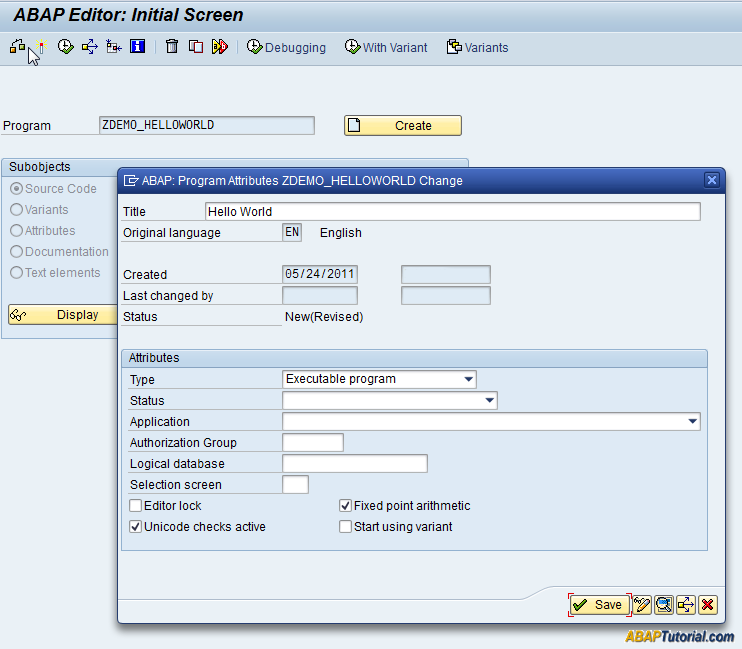
Step 3. Click the Create button to create the new program. SAP will popup a new window and request you to fill information about the program such as program title and program type… Just fill the program title Hello World, program type “Executable program” and click the Save button.
Step 4. The system will also request you to provide the Object directory entry of the new program. To make it simple, just click the Local Object button. By doing this, you specify that you don’t want to import this program to other SAP systems such as the quality assurance system or production system.

Step 5. The system will display ABAP Editor for you to start writing ABAP code.
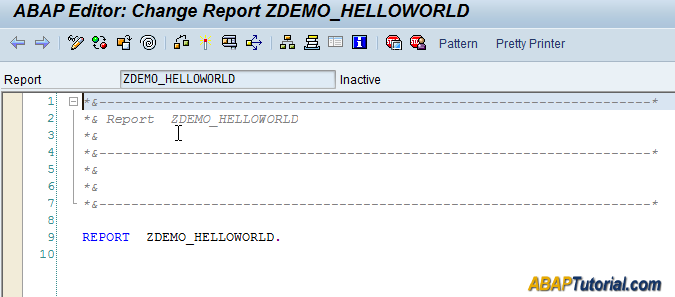
Step 6. Type the following code and click the Activate button. When you activate the program, the SAP system checks the program syntax, compiles it, and generates the run-time version.
report  zdemo_helloworld.

write 'Hello World'.
To execute the program, you click the Direct Processing button.
How it works:
- The
reportkeyword indicates that this program is a report or an executable program. It means you can invoke the program directly from the SE38 t-code. - To output a text to the screen, you use the
writestatement with a specified string. - In ABAP, every statement ends with a full-stop (
.). Therefore, you need to add the full-stop after the string'Hello World'.
The following shows the output of the program:
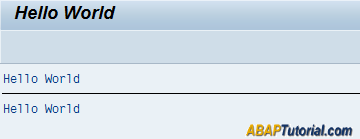
As you see clearly from the output, you have a program with the title Hello World and a message Hello World.
Congratulation! you have successfully developed the first ABAP program.
Summary
- Use the t-code SE38 to launch the ABAP Editor.
- The names of customized programs start with the letter
ZorY. - Every ABAP statement is terminated by the full-stop (
.)

